How to Write Meeting Minutes: Step-by-Step Guide
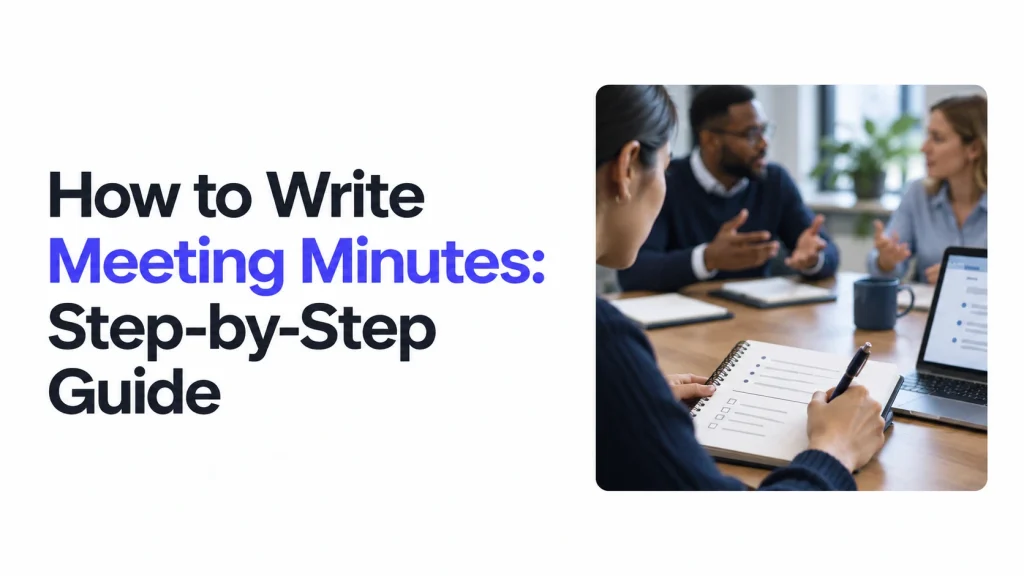
Meeting minutes are the written record of what a meeting decided: who attended, which items were discussed, what was approved and who owns each follow-up. They are not a transcript. A good set of minutes fits on one or two pages and lets someone who missed the meeting catch up in a couple of minutes.
This guide covers the five steps for writing minutes, what to include, a template you can copy, a filled-in example and the extra rules that apply to board and public meetings. It also covers where AI helps and where it still needs a human.
TL;DR: how to write meeting minutes
- Prepare an outline from the agenda before the meeting, in the same order and numbering
- Capture decisions, motions, action items and owners as they happen, and skip the play-by-play
- Write the draft soon after the meeting, while you still remember the context
- Send it to the chair for review, and mark it as a draft until it is approved
- Distribute the approved version and file it where the group can find it later
What are meeting minutes?
Minutes are the official record of a meeting. They show that the meeting took place, who was there and what the group decided. Teams use them to track commitments. Boards, committees and public bodies also use them as evidence that an action was properly taken.
Meeting minutes vs meeting notes
Notes and minutes get mixed up because both come from the same meeting. Fellow’s comparison draws the line this way: notes are informal and brief, written for the note-taker’s own use, while minutes follow a template, go to everyone who attended or missed the meeting, and get approved.
| Meeting notes | Meeting minutes | |
|---|---|---|
| Purpose | Your own reminder of what mattered | Shared record of what was decided |
| Format | Any shorthand that works for you | Follows a template |
| Audience | Mostly the person who wrote them | All attendees and people who missed the meeting |
| Approval | None | Usually approved by the chair or the group |
| Detail | Key points | Decisions, actions and the context behind them |
What should meeting minutes include?
Guides from WildApricot and Fellow list the same core elements: date and time, attendees and absences, agenda items, action items and the date of the next meeting. Formal groups add more.
| Element | What to write |
|---|---|
| Header | Organization or team, type of meeting, date, start time, location or video link |
| Attendees | Who was present, who sent apologies, who joined as a guest |
| Previous minutes | Whether they were approved, and any corrections |
| Agenda items | One to three sentences on each topic: what was discussed and what came of it |
| Decisions and motions | The exact wording of what was decided, who proposed it and the outcome of the vote if there was one |
| Action items | The task, the owner and the due date |
| Close | Time the meeting ended, date and time of the next meeting |
| Attachments | Links to documents discussed, instead of summaries of them |
For formal meetings, Robert’s Rules of Order adds more detail. According to iBabs’ summary of the rules, the body of the minutes records main motions and who made them, the final wording of motions adopted, the type of vote and the result, points of order and referrals to committees. The same summary says minutes should not record who seconded a motion, who took which side in a debate or what each person said.
How to write meeting minutes, step by step
Step 1: Prepare before the meeting
Build the outline from the agenda and keep its order and numbering, so the minutes read like the meeting ran. WildApricot recommends working through the outline with the chair first. Fill in what you already know: date, time, location, the attendee list and a line for approving the last minutes. If a handout or slide deck will be discussed, note where it lives.
Agree with the chair on what counts as a decision. If the group is going to vote, you need the exact wording of the motion, so ask the chair to read it back before the vote.
Step 2: Capture the essentials during the meeting
Write down decisions, actions and owners as they happen. Don’t try to type everything people say. If a decision or a next step isn’t clear, ask the group to restate it. That interruption saves a long email thread later.
A simple marker system speeds this up. Put a D in front of a decision and an A in front of an action, and add the owner’s name and the due date on the same line. When you write the draft, those lines become the core of the minutes.
Step 3: Write the draft soon after the meeting
Turn your notes into the formal document while the context is fresh. Same day is ideal, and the next morning is still fine. A few habits keep the draft clean:
- Stay objective. Record what happened, not your impressions of how it went.
- Use one tense throughout, usually the past tense.
- Name people when recording motions, actions and attendance. Elsewhere, write “the committee agreed” instead of attributing every comment.
- Link to documents discussed instead of summarizing them.
- Keep action items specific: “Dana to send the revised budget to finance by Friday 14 November” beats “follow up on budget.”
For nonprofits, timing has a formal side. According to the Nonprofit Law Blog, Form 990 treats documentation as contemporaneous if it is completed by the later of the next meeting or 60 days after the meeting. The same authors advise against drafting minutes long after the meeting.
Step 4: Get the chair’s review and approval
Send the draft to the chair before anyone else sees it. Minutes are typically approved at the start of the next meeting, and WildApricot notes they aren’t official until the chair has approved them. Mark the draft as such (“Draft, for approval”) until then, as iBabs also recommends. If someone spots an error, record the correction in the next meeting’s minutes and keep the original on file.
Step 5: Distribute and store the minutes
Circulate the approved minutes digitally, and keep every set in one place with a consistent file name, such as “2026-10-28 Product weekly minutes.” Whoever joins the team next year should be able to find last year’s decisions in under a minute. Store them according to your organization’s retention policy, covered below.
Meeting minutes template
Copy this and adjust the headings to match your agenda.
[Organization or team name]
[Type of meeting] minutes

Date: [date]
Time: [start time] to [end time]
Location: [room or video link]
Chair: [name]    Minutes taken by: [name]

Present: [names]
Absent (apologies): [names]
Guests: [names]

1. Approval of previous minutes
   [Approved / approved with corrections: describe]

2. [Agenda item]
   Discussion: [one to three sentences]
   Decision: [what was decided]

3. [Agenda item]
   Discussion: [one to three sentences]
   Decision: [what was decided]

Action items
   - [Task] | Owner: [name] | Due: [date]
   - [Task] | Owner: [name] | Due: [date]

Next meeting: [date, time, location]
Adjourned: [time]

Submitted by: [name]     Approved by: [name, date]
Meeting minutes example
Here is a filled-in set for a fictional product team sync.
Product Team Weekly Sync minutes

Date: Tuesday 28 October 2026
Time: 10:00 to 10:35
Location: Google Meet
Chair: Maria Lopez    Minutes taken by: Tom Reed

Present: Maria Lopez, Tom Reed, Dana Cho, Ivan Petrov
Absent (apologies): Sam Okoye

1. Approval of previous minutes
   Approved without changes.

2. Onboarding flow redesign
   Discussion: Dana presented usability results. Four of six testers
   missed the skip button on step three. Ivan raised the cost of moving
   it into the main flow.
   Decision: Move the skip button next to the primary action. Ship in
   the November 11 release.

3. Q4 roadmap
   Discussion: The team compared the reporting dashboard with the API
   rate-limit work. The team cannot fit both before the end of November.
   Decision: Prioritize the API rate-limit work. The dashboard moves
   to the first sprint of January.

Action items
   - Update the onboarding designs | Owner: Dana | Due: Fri 31 Oct
   - Estimate API rate-limit work | Owner: Ivan | Due: Wed 5 Nov
   - Tell stakeholders about the dashboard move | Owner: Maria | Due: Thu 30 Oct

Next meeting: Tuesday 4 November, 10:00, Google Meet
Adjourned: 10:35
How much detail do minutes need?
The right level depends on who will read them and what they might be used for.
| Meeting type | What to record | Typical length |
|---|---|---|
| Team or project meeting | Decisions, action items with owners and dates, a short summary per topic | One page |
| Client meeting | Decisions, commitments made by each side, next steps | One page |
| Board or committee meeting | Motions, votes, abstentions and recusals, reports received, action taken | Two or more pages |
| Public body | Whatever the local open-meetings law requires, plus every action taken | Set by law |
Informal groups usually want action items in the minutes. Formal ones sometimes don’t. The iBabs summary of Robert’s Rules says action items and to-do lists are left out except in informal or basic meetings, so a board that follows those rules tracks follow-ups in a separate list.
Board and nonprofit minutes
Boards need more care because the minutes can serve as evidence. The Nonprofit Law Blog advises recording every board action, the vote required by the bylaws and whether it was reached, plus recusals, abstentions and votes against. It also suggests noting the alternatives considered on important decisions. There is no fixed rule for how much detail is enough. The aim is minutes useful as proof that an action was properly taken, and a consistent format over time.
For confidential matters, the same authors suggest recording only that the board met in executive session and the general topic. Sensitive specifics belong in a separate confidential record that isn’t labeled “minutes.”
How long to keep board minutes depends on the organization. A legal summary from Aaron Hall’s law firm says minutes are commonly kept permanently as a governance best practice, and that disposal should follow the organization’s own retention policy, set with counsel, not a state-law minimum. State rules differ on what must be recorded, so check yours.
Minutes for public bodies
Councils, school boards and other public bodies are usually covered by open-meetings laws that set minimum contents. New Jersey’s Open Public Meetings Act, as summarized by ACLU of New Jersey, requires minutes to record the time and place, who attended, the topics considered, the actions taken and each member’s vote. Other states set their own lists, so check the statute that applies to your body.
Common mistakes when writing minutes
- Writing a transcript. Minutes that record every comment bury the decisions. Record outcomes and the reasons that matter.
- Vague action items. “Look into pricing” has no owner and no date, so nobody does it. Every action needs a name and a deadline.
- Waiting too long. The longer the gap, the more of the context you lose, and the harder errors are to catch.
- Adding opinions. Words like “heated” or “unfortunately” turn a record into commentary. Stick to what was said and decided.
- Changing the format every time. A fixed template makes minutes easier to write and easier to search later.
- Recording information that could harm the organization. The Nonprofit Law Blog warns against including details that could cause trouble if read by employees, members or a court. Keep those in a separate confidential record.
Can AI write meeting minutes?
AI can write a solid first draft. A tool records the meeting, transcribes it and produces a summary with decisions and action items, which you then check and send. It saves the typing and the cleanup. It can’t decide what belongs in the official record, and a draft nobody reads before it goes out is a liability.
Bluedot is one option. It is a privacy-first notetaker that records online and in-person meetings without sending a bot into the call by default. The Chrome extension captures Google Meet and Microsoft Teams in the browser tab, the desktop app handles Zoom, and the mobile apps cover meetings in person. After the meeting you get a transcript and a summary from one of 50 templates, or your own, with action items in the notes. Transcription covers 100+ languages, and AI Chat can answer questions such as “what did we decide about the budget?” from the recording. Notes can go to Slack, Notion, Salesforce or HubSpot, and follow-up emails can be drafted in Gmail. The free plan covers 5 recorded meetings. Paid plans start at $14 per user per month billed annually. For a longer look, see the Bluedot review.
Draft your next set of minutes with AI. Bluedot’s free plan covers your first five recorded meetings, with no bot joining the call by default.
Whichever tool you use, a few rules apply:
- Check every name, number and decision against the recording before you send. AI summaries can get a figure or an owner wrong.
- Tell people they are being recorded. According to a 2024 summary by the law firm Kilpatrick Townsend, 13 states, including California, Florida, Illinois, Pennsylvania and Washington, require every participant’s consent to record a conversation, while federal law and 37 states plus DC require only one party’s. When a call crosses state lines, the stricter rule generally applies, and a bot-free tool doesn’t change that.
- Keep the human sign-off. The chair still reviews and approves the minutes, whatever wrote the first draft.
To compare tools built for this job, see our list of the best AI meeting minutes tools.
FAQ
What is the difference between meeting minutes and meeting notes?
Notes are informal and brief, written for the note-taker’s own use. Minutes follow a template, go to everyone who attended or missed the meeting and are approved as the official record.
What should be included in meeting minutes?
The date, time and location, attendees and absences, approval of the previous minutes, a short summary of each agenda item, decisions and motions, action items with owners and due dates, and the time and date of the next meeting.
How long should meeting minutes be?
Most team meetings need one page. Board meetings run longer because motions, votes and reports take space. The goal is the shortest document that still records every decision and commitment.
Who should take the minutes?
A designated person who isn’t leading the discussion. In formal groups that is usually the secretary. In a team meeting, rotate the role so the same person doesn’t miss every discussion, or use a recording tool and review the draft it produces.
How soon should minutes be sent out?
As soon as the chair has reviewed them, ideally within a day or two of the meeting. Nonprofits also have the Form 990 timing described above: the later of the next meeting or 60 days.
Do meeting minutes need to be approved?
Formal minutes do. They are usually approved at the start of the next meeting and aren’t official until then. Mark the draft “for approval” in the meantime.
Should minutes include names?
Include names for attendance, motions and action owners. Robert’s Rules, as iBabs summarizes them, reserve names in the minutes for the presiding officer, the secretary, committees, guest speakers and the members who make motions. In a team meeting, naming the owner of each action is normal and useful.
How long should you keep meeting minutes?
Follow your organization’s retention policy. Many governance guides recommend keeping board minutes permanently, and state law sets its own requirements for what must be recorded.
Can AI write meeting minutes?
Yes, as a draft. Tools like Bluedot record the meeting, transcribe it and summarize it with decisions and action items. A person should check the draft before it goes out, and everyone in the meeting should know it is being recorded.