Best AI Summarization Tools for Sales in 2026

In Salesforce’s 2022 State of Sales survey of more than 7,700 sales professionals, reps said they spend just 28% of their week selling. Deal management and data entry take most of the rest. A call summary that writes itself removes a slice of that, but only if the summary is something a rep or a manager would actually use: pain points, budget, decision process, next steps and who owns them.
This guide compares six tools on the part that matters for sales: what the summary contains, how much you can shape it, whether it can summarize a whole deal across several calls, and what it costs. Bluedot is listed first, and its limits are listed next to the others’.
Key takeaways
- Bluedot records without a bot by default and writes summaries from 50 templates or your own, with AI-powered mapping into Salesforce and HubSpot custom fields. The free plan covers 5 recorded meetings.
- Fathom writes deal summaries on the Sales, SPICED, MEDDPICC and BANT templates, and its free plan includes unlimited recording and transcription. Deal View needs the Business plan.
- Fireflies lets admins assign a summary template to meetings by title, host, participant, type or duration, but extra sections use AI credits.
- Avoma structures notes into categories such as pain points, budget and competitors, and applies templates by call type. Two-way CRM sync and conversation intelligence are paid add-ons.
- Gong puts a recap, key points and next steps on every call inside a full revenue platform. It has no public price, and third-party estimates start in the tens of thousands of dollars a year.
- HubSpot adds AI call summaries to calls recorded in HubSpot, on Sales Hub Professional and Enterprise.
What we looked for
- ✓ What does the summary contain, and can you change the structure?
- ✓ Can it summarize a deal across several calls, or only one call at a time?
- ✓ Does it fit a sales methodology such as MEDDPICC, SPICED or BANT?
- ✓ Where does the summary go: the CRM, Slack, email or only the tool’s own page?
- ✓ Does a bot join customer calls, or can you avoid one?
- ✓ What does the plan that unlocks these features cost per seat?
Prices and plan limits reflect each vendor’s own pages as of October 2026, except Gong, which does not publish prices.
What makes a good sales call summary?
A summary built for sales answers different questions from a general meeting recap. A manager skimming ten calls wants the same fields in the same order every time. A rep preparing a follow-up wants the buyer’s own words on their problem. The CRM needs the next step and the date.
A useful sales summary usually includes:
- A short recap of what the call was for and where the deal stands
- The buyer’s problem and the impact they described, in their words where possible
- Budget, timeline and decision process, if they came up
- Competitors and objections raised
- Next steps with an owner and a date, so they can be logged as tasks
Methodologies such as MEDDPICC, SPICED and BANT are a way of fixing those headings in advance. Fathom, Avoma and Gong all let you set the structure, which is why a team that already follows a method should choose a tool that can hold it.
One caution applies to every tool below. Gong’s help center notes that its brief is generated from the call transcript, so a call that was transcribed wrongly can produce a missing or inaccurate brief. A summary is a draft of what was said. Names, numbers and commitments still need a check before they reach the CRM.
Summary table
| Tool | Bot by default | Summary format | Deal-level summary | Starting price |
|---|---|---|---|---|
| Bluedot | No (optional bot) | 50 templates plus custom | AI Chat across a collection of recordings | Free (5 meetings); $14/user/mo (annual) |
| Fathom | Yes (bot-free modes on Mac) | Templates with custom instructions | Yes, Deal View on Sales, SPICED, MEDDPICC and BANT templates | Free; paid from $16/user/mo (annual) |
| Fireflies | Yes (extension and desktop app available) | General Summary and custom templates | Not documented | Free; $10/user/mo (annual) |
| Avoma | Yes | Templates by call type, Smart Categories | Not documented | $19/user/mo (annual), no free plan |
| Gong | Not stated | Recap, key points, next steps, custom brief types | Deal tracking across conversations | Quote only |
| HubSpot | AI Meeting Notetaker joins calls | Purpose, key points, decisions, sentiment, next steps | Summaries on deal and record pages | Part of Sales Hub Professional or Enterprise |
Which are the best AI summarization tools for sales?
1. Bluedot: best bot-free summaries with CRM fields filled
Bluedot is a privacy-first notetaker that records and summarizes online and in-person meetings without sending a bot into your calls by default, which suits sales conversations where a visible recorder changes what a buyer says. After each call it writes the transcript and a summary from one of 50 templates, or a custom template you build, using either GPT-5 or Claude 4.6 Sonnet. Action items sit in the notes, and follow-up emails can be drafted in Gmail.
For sales, the useful part is what happens next. AI Chat can answer questions about a single recording or a whole collection, so a rep can ask what a prospect said about pricing across three calls. Bluedot syncs notes and recording links to Salesforce contacts, companies and deals, and HubSpot sync works the same way, with AI-powered mapping of meeting details into custom fields in both. Transcription covers 100+ languages. Bluedot is GDPR-compliant, SOC 2 Type II audited and never uses customer data to train AI models. It holds 4.8 on G2 across 226 reviews.
The catch: Bluedot’s native integration list is shorter than Fireflies’, the free plan covers only 5 recorded meetings, Basic ($14) is audio only with a 1-hour limit per recording, and video and unlimited length start at Pro. Zoom calls are captured through the desktop app, while the Chrome extension handles Google Meet and Microsoft Teams in the browser tab.
Best for: account executives, founders and consultants who sell on calls where a bot would hurt, and want summaries and CRM fields filled without typing.
Look elsewhere if: you need unlimited free recording or the longest native integration list.
Pricing: Free (5 recorded meetings); Basic $14 per user per month billed annually ($18 monthly); Pro $20 ($25); Business $32 ($39); Enterprise on request.
2. Fathom: best for deal summaries on a sales methodology

Fathom builds each summary from a template with a base prompt that tells the AI what to capture. On Premium and Team plans you can add your own instructions on top, such as a one-sentence overview at the top or a flag for competitor mentions, then regenerate the summary and apply the change to future ones. For sales, the standout is Deal View: deal summaries run on four templates, Sales, Sales SPICED, Sales MEDDPICC and Sales BANT, each customizable from the Summary tab on a Deal page. In Salesforce, sections of the deal summary map to opportunity fields. The free plan includes unlimited recording, transcription and storage, and Fathom holds 5.0 on G2 across 7,064 reviews.
The catch: Deal View and the team-level Salesforce connection sit on the Business plan, and the Salesforce sync does not match Leads. The bot joins calls by default, with bot-free modes on Mac, and for the bot-free experience, customization is currently available only in the web app, not the new desktop app. Fathom may train on de-identified meeting content under its policy dated August 16, 2026, with an opt-out.
Best for: small sales teams that follow SPICED, MEDDPICC or BANT and want a running deal summary on the opportunity.
Look elsewhere if: your reps work Leads, or you want no bot by default.
Pricing: Free; Premium $16 per user per month billed annually ($20 monthly); Team $15 ($19, two-user minimum); Business $25 ($34, two-user minimum).
3. Fireflies: best for summary templates assigned by meeting type
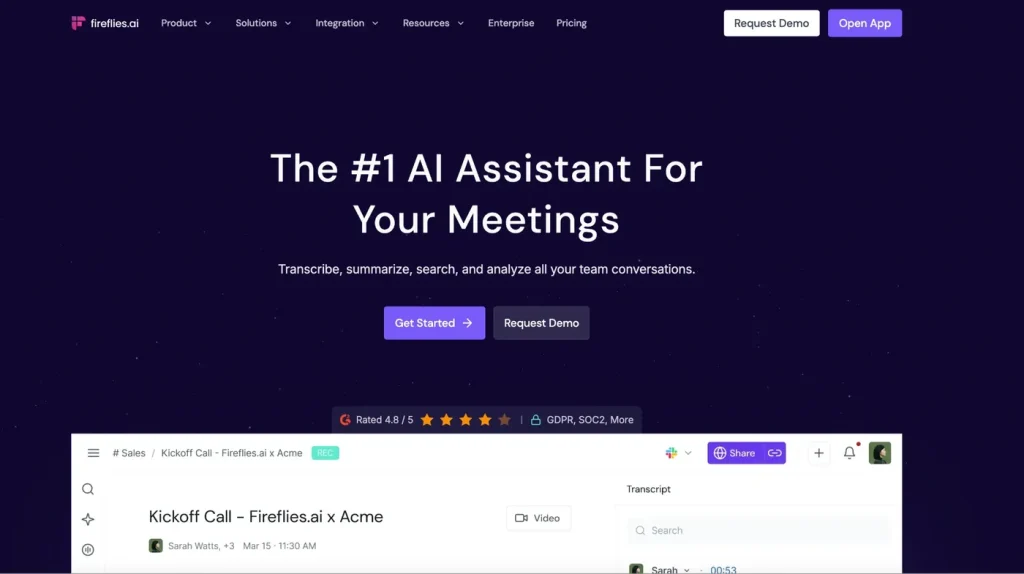
A Fireflies summary has five parts in its default General Summary template: keywords, an overview, structured meeting notes, time-stamped notes linked to the transcript, and action items tied to speakers. You can switch between concise and detailed notes, pick a built-in template, or write your own by describing the structure or uploading sample notes. The first custom template is included, and more use AI credits. The sales-relevant control is on the admin side. Meeting Rules apply a template to meetings that match conditions such as title, host, participants, meeting type or duration, so discovery calls and renewals can get different summaries automatically. Fireflies also has the widest Salesforce coverage in our Salesforce comparison, and its Autofill CRM drafts field updates that you approve before anything is written. It holds 4.7 on G2 across 753 reviews.
The catch: each extra section and each Autofill extraction uses AI credits, and Autofill needs the Business plan or above. The bot joins calls by default, though a Chrome extension and desktop app can capture audio without it. Fireflies is also the defendant in Cruz v. Fireflies.AI Corp., a proposed class action over its speaker recognition.
Best for: sales teams on Business or Enterprise that want a consistent summary per call type and reviewed CRM updates.
Look elsewhere if: a visible bot is a problem in your calls, or you record people in Illinois.
Pricing: Free; Pro $10 per user per month billed annually; Business $19; Enterprise $39.
4. Avoma: best for notes organized by call type and sales method
Avoma comes with templates for discovery, demo, QBR, onboarding and internal calls, and custom templates can apply automatically by call type. Notes are organized into Smart Categories such as pain points, budget, next steps and competitors, and the categories can be set to follow MEDDIC, SPICED or BANT. Avoma says it generates a structured one-page summary within two minutes of a call ending, extracts action items with owners and supports 60+ languages for transcription and AI notes. Notes are editable, so AI output and manual bookmarks sit together. It lists 4.8 on G2.
The catch: the Startup plan at $19 per seat per month billed annually includes auto-save to the CRM as one-way logging. Two-way CRM field updates need the Revenue Intelligence add-on at $29 per seat, and Conversation Intelligence is another $29, so a loaded seat costs well over the headline price. The recorder is a bot, and reviews describe it joining late or failing to join. There is no permanent free plan, only a 14-day trial.
Best for: B2B sales teams of 10 to 100 reps that want call-type templates and methodology-based notes with coaching and forecasting in the same product.
Look elsewhere if: you want a flat per-seat price, no bot or a free plan.
Pricing: Startup $19 per user per month billed annually ($29 monthly); Organization $29; Enterprise $39 (10-seat minimum); add-ons from $19 to $29.
5. Gong: best for enterprise revenue teams

Gong’s summaries come as a brief on each call. The default Highlights brief has a Recap in a paragraph, Key points and Next steps, and teams or admins can create custom brief types that appear in a dropdown next to Gong’s built-in ones. You can copy the full brief or regenerate it, and the brief is available on any Gong plan. Gong says its AI agents generate summaries, update CRM fields and suggest follow-ups, and it lists integrations with Salesforce and Zoom. The summary sits inside a larger revenue platform with deal and pipeline tracking built from conversation data, which is where Gong’s value lies for large teams.
The catch: Gong publishes no prices. According to a roundup of third-party estimates, including Vendr’s buyer transaction data, licenses run about $1,200 to $2,400 per user per year, with a mandatory platform fee of $5,000 to $50,000 a year and onboarding of $7,500 or more. The same roundup puts a 10-seat team’s first year at about $28,000 to $29,000 and reports no free plan or self-serve checkout. These are estimates, not Gong’s numbers.
Best for: sales organizations of 25 or more seats that want summaries, coaching, deal tracking and forecasting in one platform.
Look elsewhere if: you have a small team, want to start free or only need the summary.
Pricing: Quote only; third-party estimates start around $1,200 per user per year plus a platform fee.
6. HubSpot: best for teams that already live in HubSpot

HubSpot generates an AI call summary at the bottom of the recording review screen. It covers the purpose of the call, key discussion points, decisions made, sentiment and next steps, and you can pick the Auto, Support Rep or Sales Rep template, or a custom one. It is available on Sales Hub or Service Hub Professional or Enterprise, and both Breeze Assistant and call recording have to be turned on. HubSpot’s AI Meeting Notetaker joins calls automatically once you connect a calendar, and after each call you review the summary on the deal record, confirm action items, approve suggested CRM updates and send a drafted follow-up.
The catch: the call summary covers calls made through HubSpot’s calling tool or an integrated third-party calling provider. Recordings from video conferencing integrations such as Zoom or Microsoft Teams create meeting records that you review through the meetings tool instead. You can’t edit the summary text, though you can add notes below it. Pricing depends on your Hub tier.
Best for: sales teams on HubSpot Professional or Enterprise that want summaries stored next to the deal and contact.
Look elsewhere if: you use another CRM, or most of your calls run through video conferencing integrations, which create meeting records instead.
Pricing: Included with Sales Hub or Service Hub Professional or Enterprise seats; see HubSpot for current tier pricing.
What does it cost for a 10-rep team?
The plans below are not like for like, so read them with the notes. Each is the plan that includes the summary features described above.
| Tool | Plan used | Monthly cost for 10 reps |
|---|---|---|
| Bluedot | Basic (audio, 1-hour limit) or Pro (video, unlimited length) | $140 or $200, billed annually |
| Fathom | Business, for Deal View | $250, billed annually |
| Fireflies | Business | $190, billed annually |
| Avoma | Startup, plus Revenue Intelligence and Conversation Intelligence add-ons | $190 for Startup, $770 with both add-ons, billed annually |
| Gong | Third-party estimate for a 10-seat first year | About $2,300 to $2,400 a month |
HubSpot is left out because its summaries depend on your Hub tier. Gong’s figure is an estimate that includes platform and onboarding fees.
Which tool should you choose?
- For customer calls where a bot would hurt, and CRM fields filled in Salesforce or HubSpot, Bluedot.
- If you follow SPICED, MEDDPICC or BANT and want a deal-level summary, Fathom.
- If you want different summary templates for discovery calls, demos and renewals, applied automatically, Fireflies or Avoma.
- If you run a large revenue team and want summaries inside coaching and forecasting, Gong.
- If your reps already work inside HubSpot and call through it, HubSpot’s own summaries.
Check the summary before it reaches the CRM
A summary that lands in the CRM carries the weight of a record. A few checks keep it accurate:
- Read the next steps first. Confirm each has an owner and a date that match what was agreed.
- Check numbers and names. Prices, quantities, dates and competitor names are where transcription errors do the most damage.
- Compare against the recording on important calls. Most tools link each summary point to the transcript or the recording.
- Tell the buyer you are recording. According to a 2024 summary by the law firm Kilpatrick Townsend, 13 states, including California, Florida, Illinois, Pennsylvania and Washington, require every participant’s consent to record a conversation, and federal law and 37 states plus DC require only one party’s. A bot-free tool does not change that.
For more on connecting a notetaker to your CRM, see our guide to the best AI note taker for Salesforce integration, and for a wider look at the category, our Bluedot review, Fireflies review and Fathom review.
FAQ
What is the best AI summarization tool for sales?
It depends on what you need. Bluedot is a strong pick for bot-free summaries with AI mapping into Salesforce and HubSpot fields. Fathom is built around deal summaries on SPICED, MEDDPICC and BANT, Fireflies and Avoma give you the most control over templates by call type, and Gong suits large teams that want summaries inside a full revenue platform.
Can AI summarize a whole deal across several calls?
Some tools can. Fathom’s Deal View produces a deal summary from the Sales, SPICED, MEDDPICC or BANT templates, and Bluedot’s AI Chat answers questions across a collection of recordings. Gong tracks deals across conversation data. Check this feature before you buy, because most tools summarize one meeting at a time.
Is there a free AI summarization tool for sales calls?
Yes. Fathom’s free plan includes unlimited recording, transcription and storage, and Fireflies has a free plan as well. Bluedot’s free plan covers 5 recorded meetings. Avoma has a 14-day trial instead of a free plan, and Gong has no free plan.
How accurate are AI sales call summaries?
They depend on the transcript. Gong’s own help center notes that a call transcribed wrongly can produce a missing or inaccurate brief. Treat each summary as a draft and check numbers, names and next steps before they go into the CRM.
Can I use my sales methodology in the summary?
Yes, in several tools. Fathom has SPICED, MEDDPICC and BANT deal templates, Avoma lets you set categories to follow MEDDIC, SPICED or BANT, and Fireflies and Bluedot let you write custom templates.
Do AI summarization tools send a bot into customer calls?
Fathom, Fireflies and Avoma use a bot by default, with alternatives on some platforms, and HubSpot’s AI Meeting Notetaker joins calls automatically. Bluedot records from your device without a bot by default and offers an optional Meeting Bot.
Can the summary update Salesforce or HubSpot automatically?
Yes. Bluedot syncs notes to Salesforce and HubSpot with AI mapping into custom fields, Fireflies’ Autofill CRM drafts updates for approval, and Fathom’s Deal View maps deal summary sections to opportunity fields. Gong says its AI agents update CRM fields, and HubSpot lets you approve suggested updates on the deal record.